
Shell-GPT: Your Interactive AI Assistant in the Linux Shell
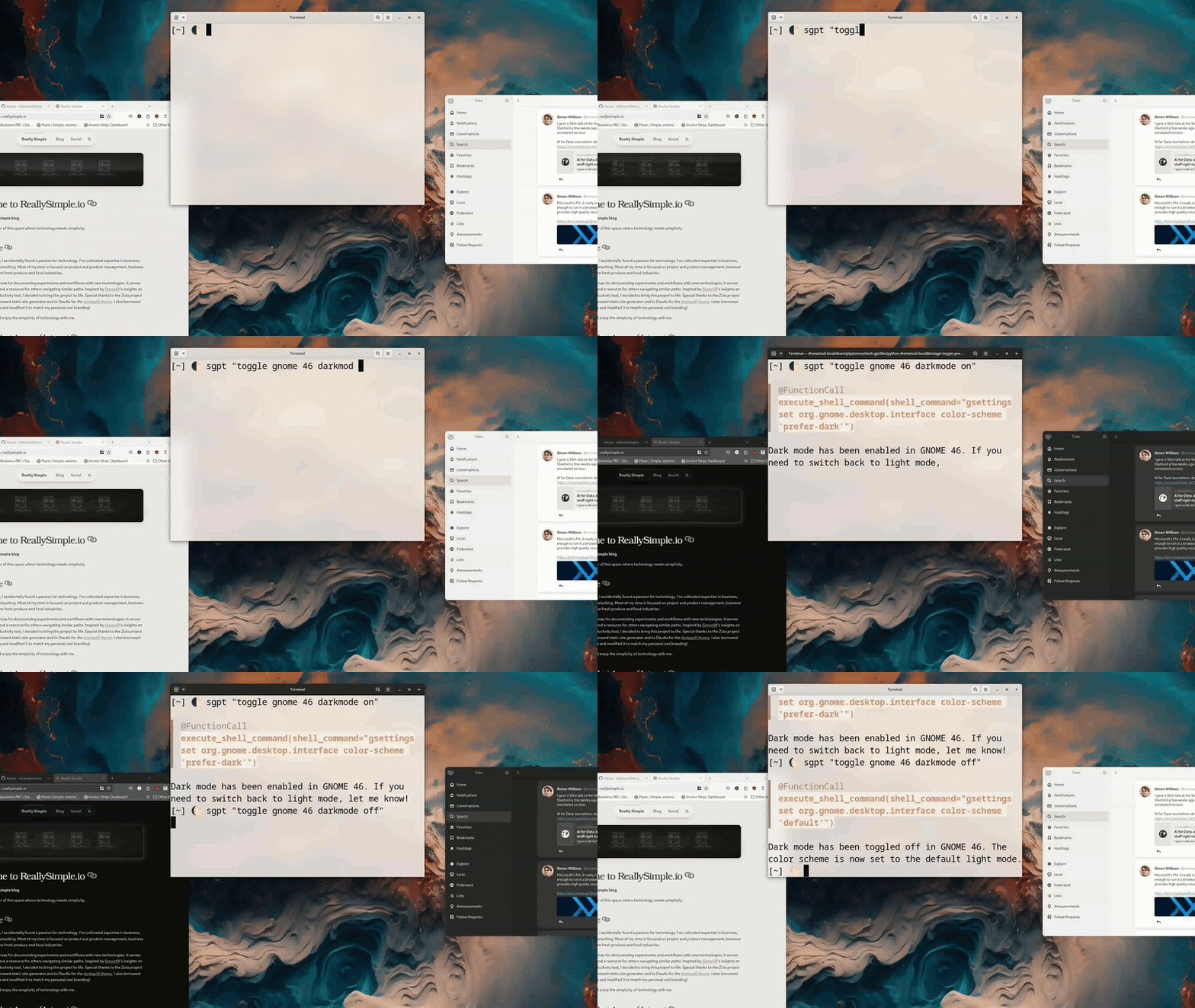
Shell-GPT is a practical tool for enhancing user control through a command-line interface using LLMs to simplify everyday tasks. The GIF demonstrates a user typing sgpt "toggle gnome 46 darkmode on" into the terminal, highlighting the tool's ability to interpret plain English commands and interact with the system.
It can act as a chatbot with Windows Co-Pilot-like abilities or as a natural language instruction pipeline to simplify the user's life and enable interesting functionality that would otherwise be very difficult to implement.
Below, I used Shell-GPT's REPL mode, function calling, and a custom role description to assist with managing my email communications in a chatbot-like workflow.
- I started by recalling an email related to a "Request for Lawn Gnome."
- Echo, the name I gave the chatbot, quickly searched my email database using
notmuchto find the relevant thread. - Echo then provided a summary of the conversation, highlighting key points and action items.
To handle the reply, I asked Echo to draft a response, giving it a short answer of how I wanted to proceed. Echo generated a professional email draft, which I reviewed and approved. Finally, Echo saved the draft to my clipboard, ready for sending.
This interaction highlights the efficiency and convenience Shell-GPT brings to everyday tasks, making it a valuable tool for anyone working in a Linux shell environment.
Beyond email management, I also use Shell-GPT to do random tasks like converting screencast videos into GIFs for this blog post. The first time I attempted this, I did not have ffmpeg installed. Echo noticed the command failure, installed ffmpeg, and retried without further interaction.
The REPL functionality is useful for interactive workflows, allowing detailed, step-by-step task execution. Shell-GPT is also good at handling one-off CLI commands and piping data in and out efficiently.
cat index.md | sgpt "Can you find errors in my file? List potential improvements in bullet points"
alias bcom='wl-paste | sgpt --role bcom'
sgpt "generate a new ssh key for use with GitHub"
sgpt "use notmuch to check email from and to Chad. When will he be out of the office?"
You can configure custom roles by running sgpt --create-role role-name. Roles are prompting instructions that prefix your input, allowing you to tell the system how to respond in a reusable way.
Write a refined and professional email based on the provided draft. Avoid introductory phrases such as "I hope this email finds you well." Maintain a tone and style similar to contemporary business literature. Use common American phrasing and vocabulary.I have barely scratched the surface of how Shell-GPT works, but I have integrated it deeply into my workflow. Take a look at the Shell-GPT GitHub project and consider supporting it.